DataTorch Patch 0.4.1 Notes
Drag and drop COCO imports and support for Pixel Mask annotations.
DataTorch · February 27, 2025
Welcome to DataTorch 0.4.1! This release improves the annotation import process with a streamlined drag-and-drop experience for COCO imports and official support for Pixel Mask annotations.
Drag and Drop COCO Import
Importing COCO annotations has just got a lot simpler. We've updated the import modal to support Drag and Drop, allowing you to directly upload your COCO JSON files right from the browser.
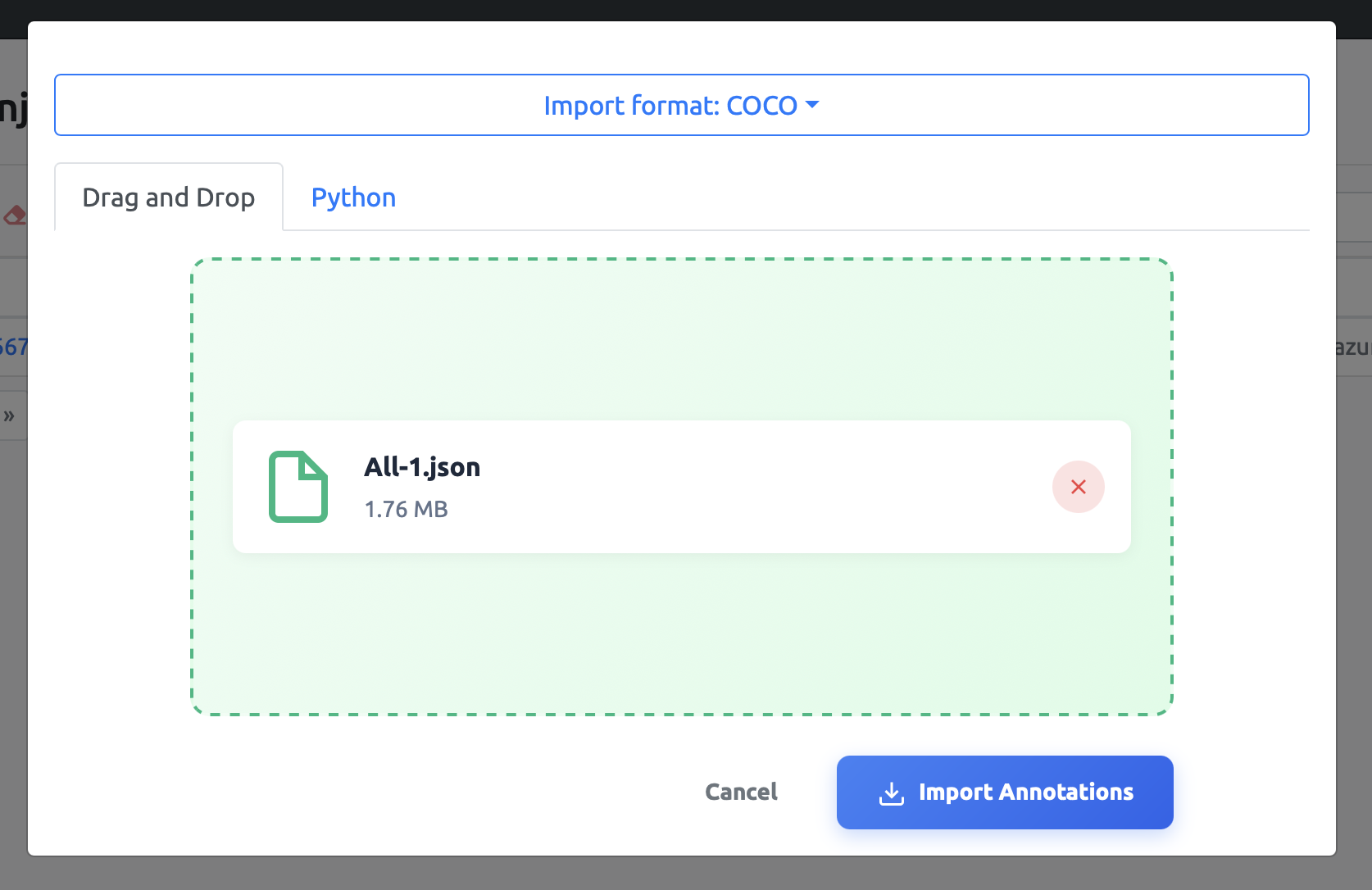
Simply open the import dialog, select "COCO" as the format, and drag your file into the release zone. The importer will automatically validate your COCO file structure to ensure compatibility before processing, giving you immediate feedback if there are any formatting issues.
This eliminates the need to use the CLI or Python SDK for quick imports, streamlining your workflow when moving data into DataTorch.
Pixel Mask Import Support
We have also added support for Pixel Mask annotations. You can now import pixel-perfect segmentation masks directly into your projects. This feature is perfect for users working with binary masks, semantic segmentation, or simply a folder of images with masks.
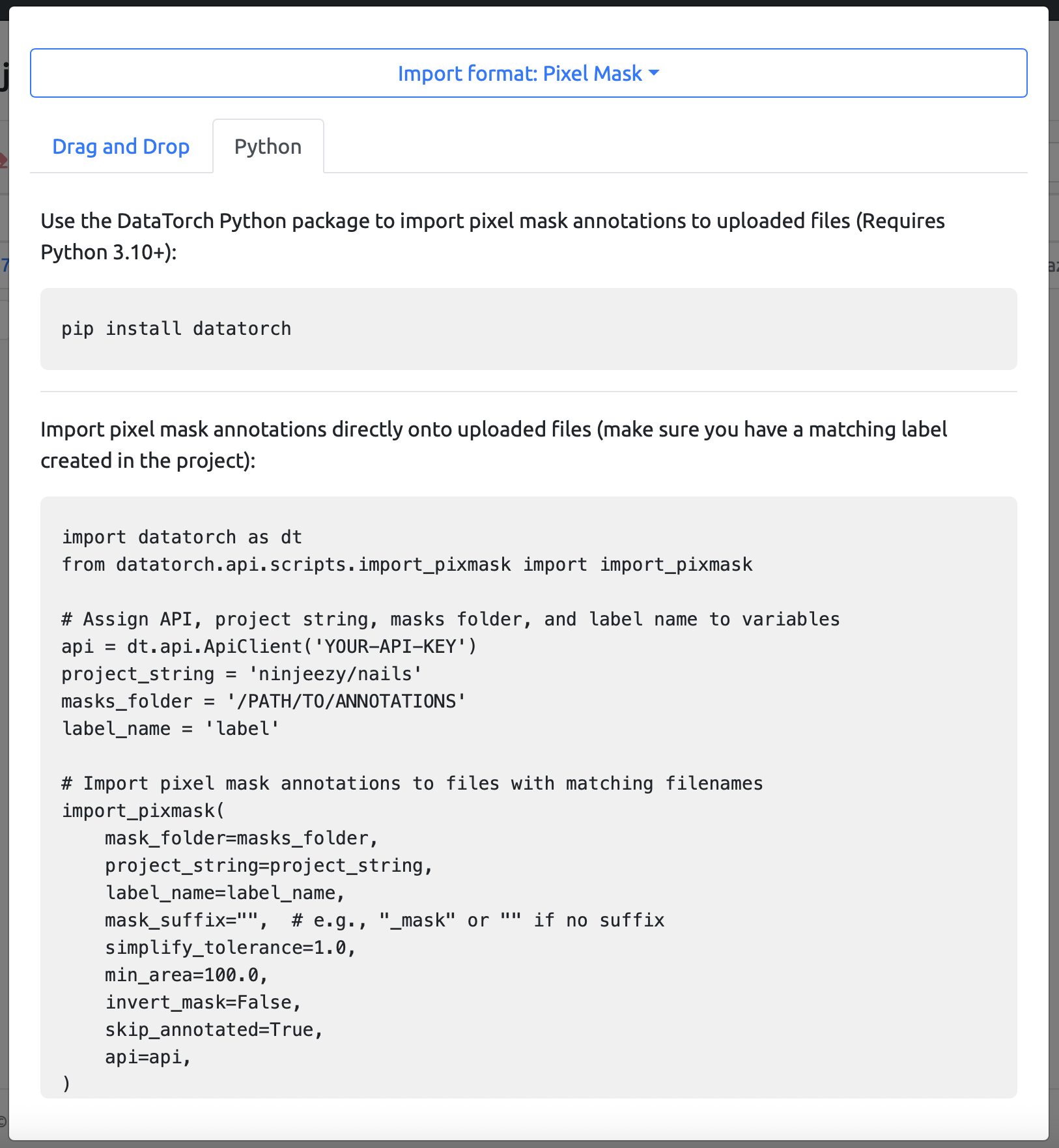
Whether you are working with complex instance masks or standard binary masks, DataTorch now handles these data types natively. You can select "Pixel Mask" from the import dropdown to view specific instructions for importing your mask data, ensuring that your rigorous segmentation tasks are fully supported.
Python SDK Updates
Along with these UI improvements, our Python SDK has been updated to support these new import workflows. You can programmatically upload pixel masks and COCO annotations using the latest version of the datatorch Python package.
Check out the updated documentation for examples on how to integrate these imports into your automated pipelines.

Tools and community for image annotation: label, review, and share datasets, from everyday photos to the imagery only specialists can read.
© 2026 DataTorch. All rights reserved.